




The weather station base unit is linked to my PC via a USB cable. No software is provided with the unit but Fine Offset and Green Frog recommend using either Easyweather or the old version of Cumulus. They even use pictures of Cumulus on their packaging and website. The software can be downloaded from Green Frogs website. I would recommend initially using Easyweather to confirm that the link is working and to setup the base unit with your preferred units. This is much easier than using the buttons on the front of the unit. Once you are happy with everything you can fire up Cumulus.
Some configuration settings for the base unit can only set from within Easyweather. The primary setting is the recording interval between the data sets stored in the base unit. In my setup this is set to 10 minutes between readings.The default as supplied is 30 minutes.
Easyweather is also useful if you get an interface problem between the station and Cumulus. Whenever Cumulus has to be shut down I always run Easyweather and download all the data from the weatherstation before doing anything else, just in case the station has to be reset and Cumulus can't recover all the data.
Cumulus 1 is free software for retrieving, storing and displaying data from weatherstations. It was created in 2003 by Steve Loft. This version is now obsolete and has been replaced by Cumulus MX. Steve has also retired from developing Cumulus and further development has been taken over by Mark Crossley supported by the weather community.
Cumulus 1 is the main application that interfaces with my weather station. It displays 'live' readings sent from the weather station.

Live data is then stored in a history file on the computers hard disk. A new file is created at the start of each month. These files are in plain text with one line for each record. Cumulus is very sophisticated an can prodce lots of information from the raw data as well as upload it to your own website or propriety sites such as Weather Underground, Weatherbug or WOW. I'm not going to go into detail here as it's all available on the Cumulus website and Wiki.
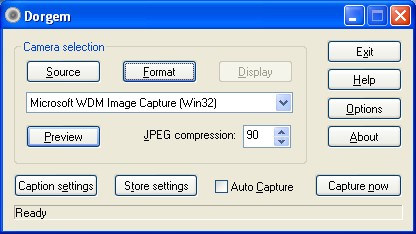
I had been looking for a good 'simple' webcam driver with built in ftp for some time. Most of the software available is far to sophisticated for my application but eventually I found Dorgem, which does just what I need and no more. It's freeware as well.It can be set up to capture still images at a pre determined time interval and then upload the saved image to a website with an added date & time stamp. The only problem with Dorgem is that if it fails to connect to the server it gets stuck in an error state and cannot reset itself. This usually happens when my ISP decides to renew my IP Address ( which they do randomly from hours to days apart ) and my router doesn't reconnect in time for Dorgem to FTP it's file. If I'm not around to restart Dorgem the website image freezes with the last picture it uploaded successfully. In May 2009 I changed the way this works. I now use Dorgem to capture the image and store it on my hard drive. I then use a small dedicated ftp program called Tinyuploader to take this file and ftp it to my website.
This is the new ftp application I have found. It is a small 'freeware' application that allows you to upload a specified file at a pre-determined interval. It works OK, and more importantly, it doesn't fall over if it fails a ftp upload, it just times out and carries on at the next interval.

As usual there has to be a catch. If you look at the time interval you will see it's set to 295 seconds. This is my attempt at getting it to update every 5 minutes. The problem is it takes it's time period from when it was last sucessfull at uploading. If I set the upload time to every 5 minutes ( 300 seconds ) and it takes 5 seconds to connect and upload the next upload will be 5 minutes 5 seconds later, then 5 minutes 10 seconds, and so on. unfortunately the actual time taken to upload varies each time, depending on the connection, so the period wanders around 5 minutes + or - a few seconds each time.
Back to Home page